Excel has long been one of the most widely used tools for data analysis and reporting. For decades, professionals across industries have relied on spreadsheets to organize data, perform calculations, and generate reports.
However, as organizations began working with larger datasets and more complex analytics needs, tools such as Power BI emerged to support advanced reporting and data visualization.
Many professionals who currently use Excel often ask an important question:
Should I continue using Excel for reporting, or should I switch to Power BI?
The answer is not always straightforward. In many cases, both tools complement each other and serve different purposes in the analytics workflow. This article explains the differences between Excel and Power BI and when each tool should be used.
What Excel Is Best For
Excel remains extremely powerful for many types of data analysis tasks.
Professionals commonly use Excel for:
• spreadsheet calculations • financial modeling • pivot table analysis • small to medium-sized datasets • ad-hoc reporting
Excel allows analysts to quickly manipulate data, create formulas, and perform exploratory analysis. Because Excel is so widely used, it is often the starting point for many people entering the analytics field.
What Power BI Is Designed For
Power BI is designed specifically for business intelligence and dashboard reporting. Instead of working primarily with spreadsheets, Power BI allows analysts to build interactive dashboards that present insights visually.
Power BI is particularly useful for:
• analyzing large datasets • building automated reports • combining multiple data sources • creating interactive dashboards • sharing insights across organizations
Power BI also allows organizations to refresh dashboards automatically as new data becomes available.
Using Excel and Power BI Together
Rather than replacing Excel, Power BI is often used alongside it.
For example:
• Excel may be used for initial data preparation • Power BI may be used for dashboard reporting
Because both tools are part of the Microsoft ecosystem, they integrate seamlessly with each other. Many analysts export Excel datasets directly into Power BI to build dashboards and reports.
Which Tool Should Beginners Learn?
For beginners entering analytics, learning Excel first can be helpful because it introduces fundamental data concepts.
However, developing Power BI skills is increasingly important as organizations rely more heavily on business intelligence tools.
If you are planning to transition into analytics roles, our guide on How to Become a Power BI Data Analyst in Canada explains the skills and learning roadmap required to build a career in data analytics.
Power BI Salary Outlook
Professionals who combine Excel knowledge with Power BI expertise often have strong career prospects.
Analytics roles in Canada offer competitive salaries depending on experience and technical skills.
For a detailed overview of compensation trends, you may refer to our article on Power BI Salary in Canada (2026 Job Market Report).
Final Thoughts
Excel and Power BI are both powerful tools used in modern data analysis. While Excel remains useful for calculations and spreadsheet-based analysis, Power BI provides advanced capabilities for dashboard reporting and business intelligence.
For professionals interested in analytics careers, developing skills in both tools can be extremely valuable.
Editor’s Note
This article explains how Excel and Power BI complement each other in analytics workflows.
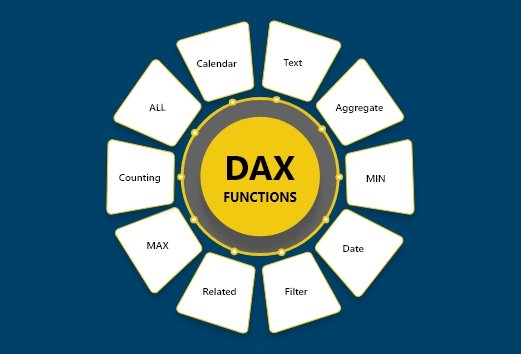
For learners interested in building practical Power BI skills through structured projects and reporting scenarios, instructor-led programs such as the Power BI training offered by Excelgoodies combine Power Query transformations, data modeling, DAX calculations, and dashboard development in guided learning environments.








 Power BI
 SQL
SQL Power Apps
 Power Automate
 Microsoft Fabrics
 Azure Data Engineering